

Anthropic launched Claude Cowork on January 12, 2026.
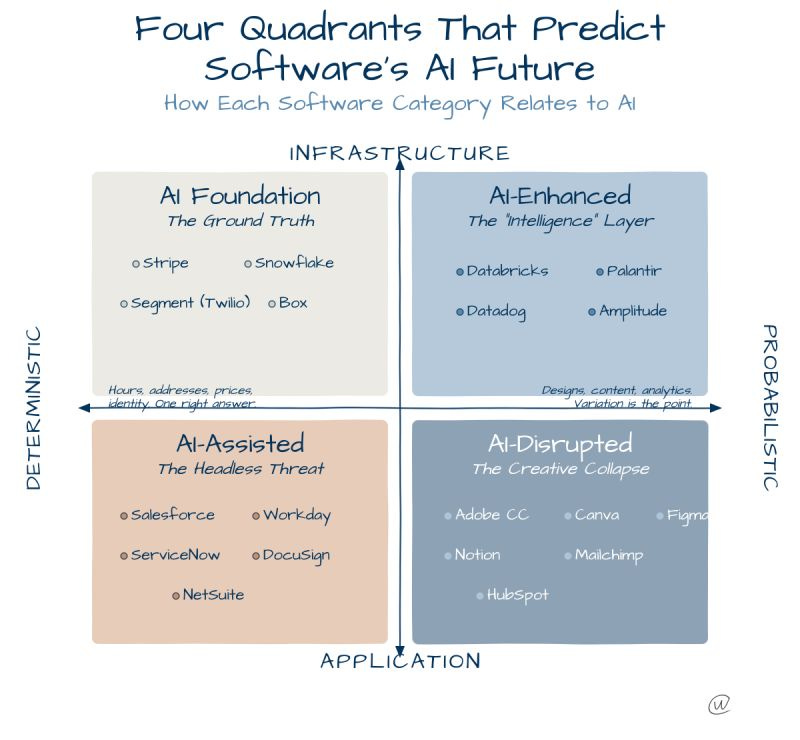
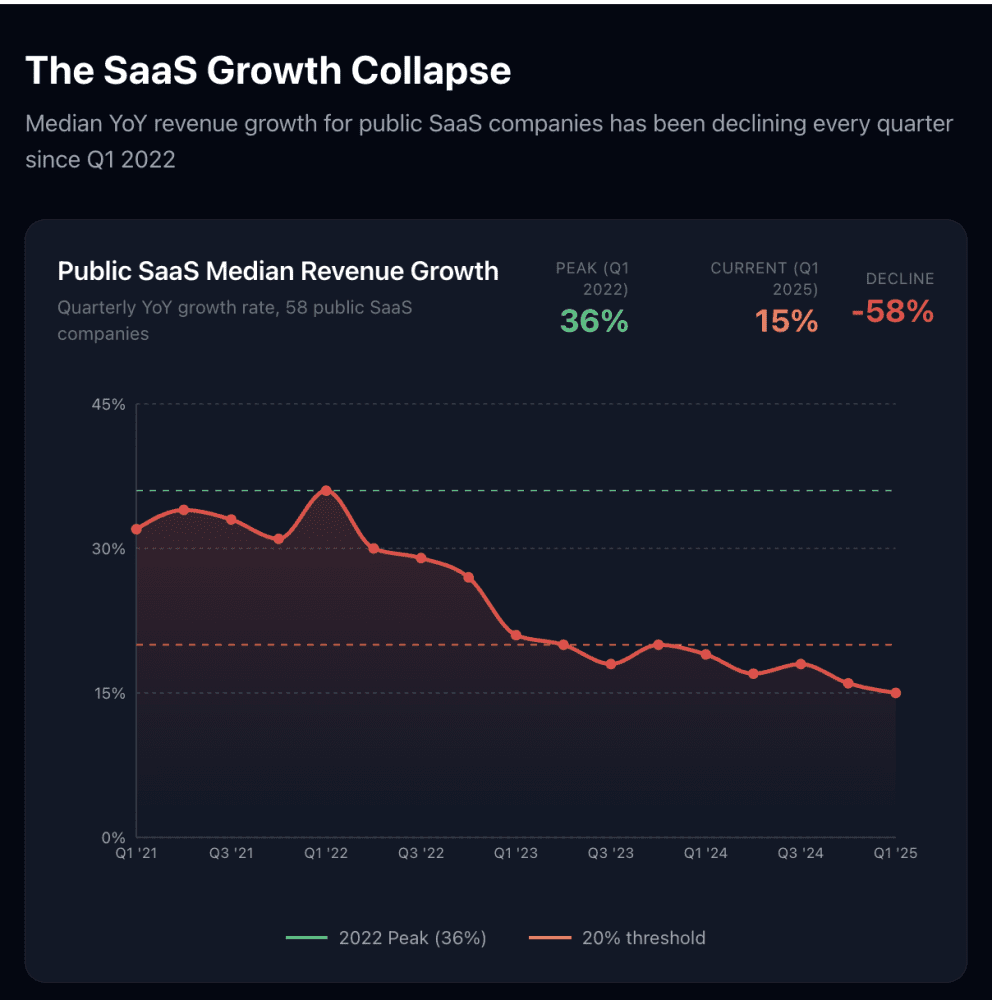
Five weeks later, investors began repricing SaaS companies whose products overlap with Cowork’s capabilities. Project management tools, writing assistants, data analysis platforms, and workflow automation software all saw sharp declines.
Bloomberg reported that Cowork triggered a $285 billion software stocks selloff.
That’s the market’s verdict on what this means.
The practical reality is simpler: you give Claude access to a folder of your choosing on your computer, and Claude can then read, edit, or create files in that folder. It can re-organize your downloads by sorting and renaming each file, create a new spreadsheet with a list of expenses from a pile of screenshots, or produce a first draft of a report from your scattered notes.
When you use ChatGPT, Gemini, or even regular Claude, you’re talking to an advisor. You ask, it answers. Cowork doesn’t advise. It does the work.
What You Can Actually Do
Users can instruct Cowork to extract structured data from receipt images and generate Excel spreadsheets with formulas, organize file directories based on content and metadata, or synthesize research reports from multiple source documents.
If you pair Cowork with Claude in Chrome, Claude can complete tasks that require browser access too.
Once you’ve set it a task, Claude will make a plan and steadily complete it, while looping you in on what it’s up to.
The 11 Official Plugins
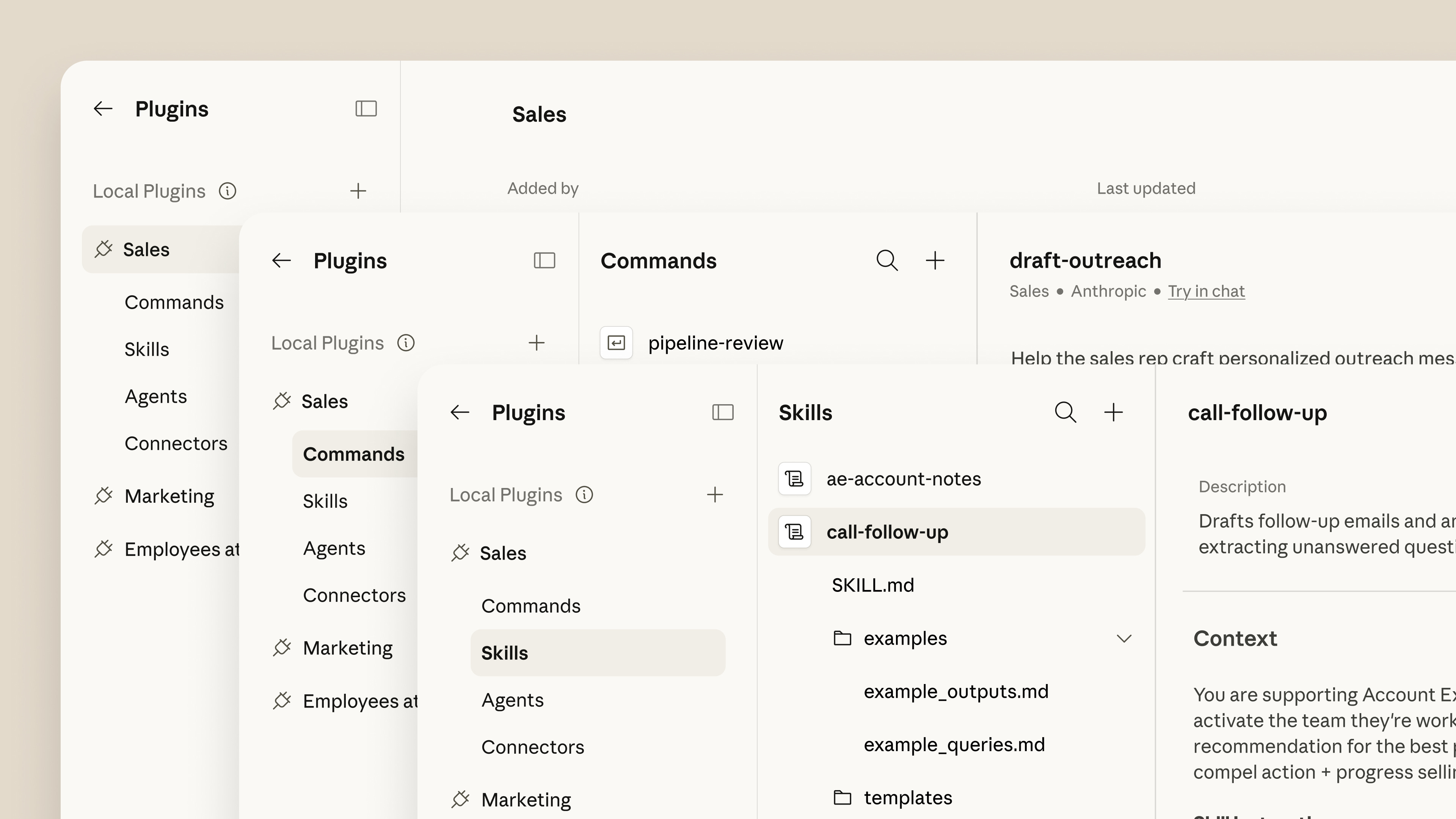
Anthropic launched plugin support for Claude Cowork on January 30, so users can customize workflows and integrate specialized tools. The plugins bundle skills, connectors, slash commands and sub-agents so people can use Cowork as a specialist for specific roles, teams and companies.
Productivity — Manage tasks, calendars, daily workflows, and personal context. Integrates with Slack, Notion, Asana, Linear, Jira, Monday, ClickUp, Microsoft 365.
Sales — Research prospects, prep deals, and follow your sales process. Connects Claude to your CRM and knowledge base.
Legal — Contract review with clause-by-clause flagging (GREEN/YELLOW/RED). Rapid NDA pre-screening.
Finance — Analyze financials, build models, and track key metrics
Marketing — Draft content, plan campaigns, manage launches
Support — Customer service workflows and response drafting
Data Analysis — Query data, build dashboards, generate insights
Research — Deep research synthesis and competitive analysis
Enterprise Search — Find information across company tools and docs
Product — Feature specs, user research synthesis, roadmap planning
Plugin Create — Create and customize new plugins from scratch
The real power comes when you customize them for your company, using your tools, your terminology, and your processes, so Claude works like it was built for your team.
How to Get Started
Cowork requires the desktop app for macOS or Windows and is not available on web or mobile.
Download Claude Desktop from claude.com/download
Open the app and click the “Cowork” tab (next to Chat and Code)
Pick a folder to give Claude access to
Start with something low-stakes to learn how it works
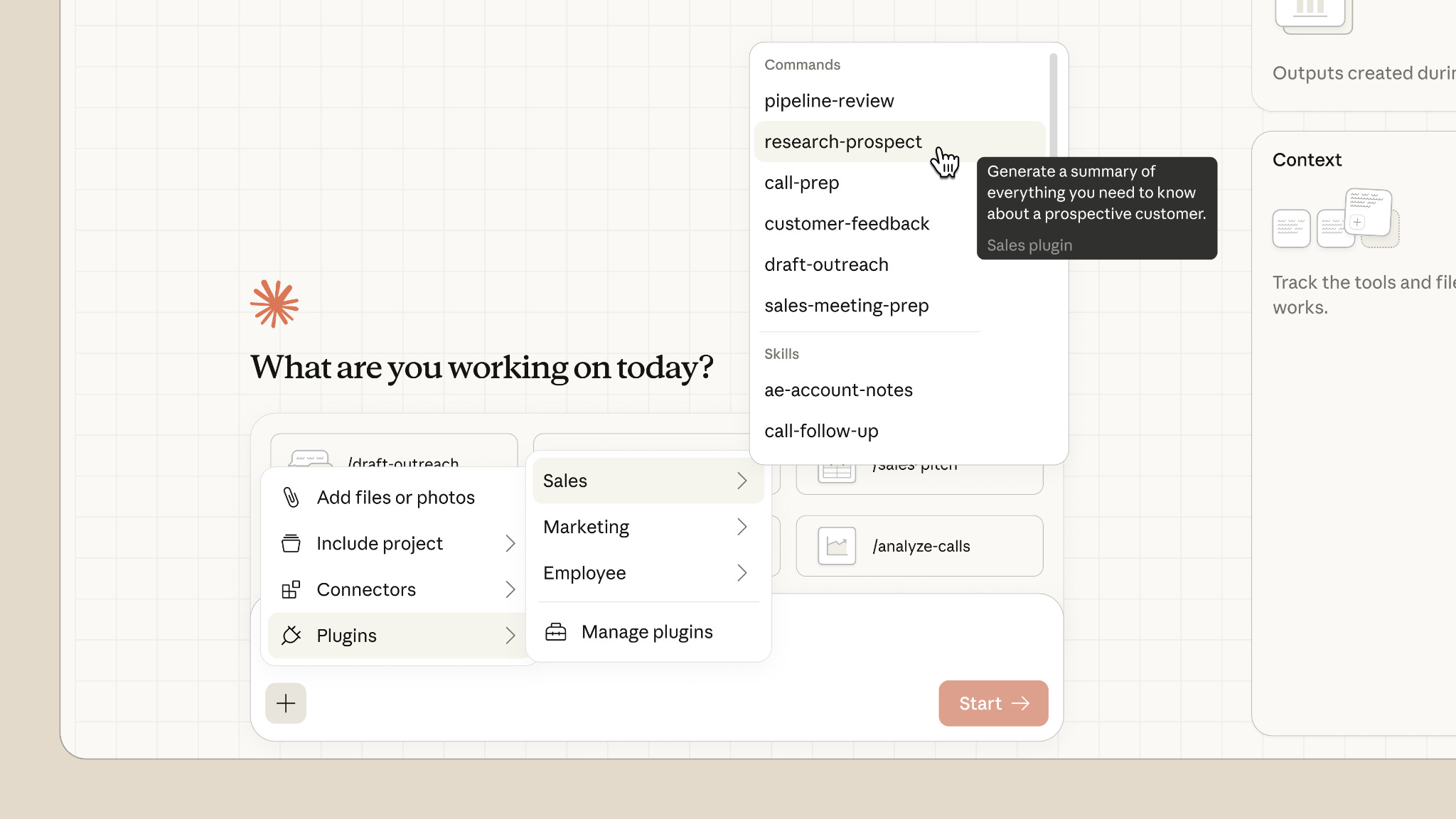
The “+” button lets you customize what Claude has access to: attach files, add connectors to external tools like Slack, Notion, Gmail, and GitHub, include a project for custom instructions, or install plugins.
What’s Behind the Paywall
The overview above covers what Cowork is. The premium section covers how to extract maximum value from it.
Complete Plugin Deep-Dives
Setup instructions, best prompts, and real workflows for all 11 official plugins. Including the slash commands that save the most time and how to customize each plugin for your specific use case.
25 High-ROI Workflows by Role
Tested workflows for founders, operators, salespeople, marketers, lawyers, analysts, and more. Each includes the exact setup, prompt structure, and expected output.
The Power User Playbook
How to chain multiple tasks together, set up folder-specific instructions, connect external tools via MCP, and build custom plugins without writing code.
Automation Recipes
Copy-paste task descriptions for common operations: expense processing, meeting prep, competitive research, document analysis, data extraction, and file organization.
What to Avoid
The failure modes, edge cases, and limitations that waste time. Including user reports of Claude consuming 11GB of files accidentally during testing and how to prevent similar issues.
Premium begins below