

Claude has quietly become one of the most versatile AI presentation tools available.
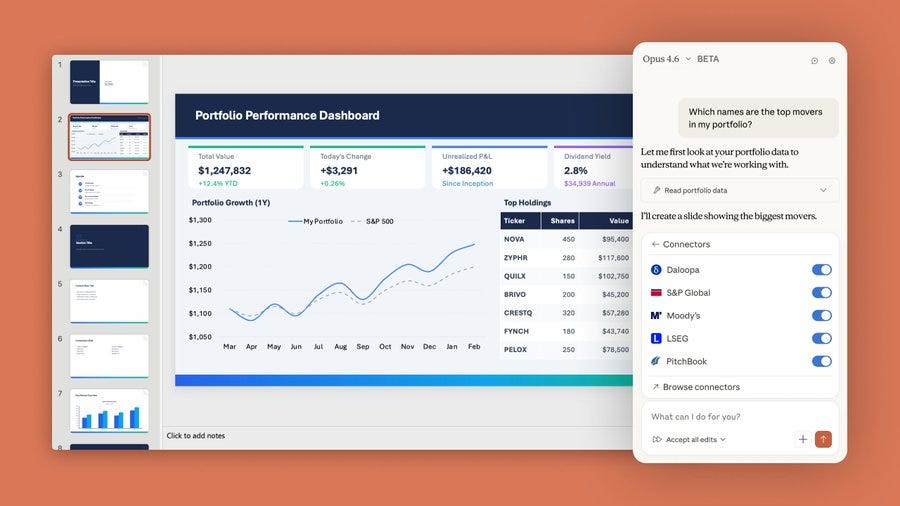
For founders building pitch decks, operators creating board updates, or anyone who needs slides fast, this matters because Claude’s reasoning produces better content than any dedicated AI slide tool.
The trade-off: you need to know which method fits your use case.
The 5 Methods
1. Code Execution (.pptx files)
You describe what you want, Claude writes Python code, runs it, and hands you a downloadable PowerPoint file. Works with Pro, Team, and Enterprise plans.
2. HTML Artifacts
Claude generates an interactive slide deck you can preview live in the chat. Available on all plans including free. Great for iteration before committing to a final file.
3. Projects with Brand Guidelines
Set up a Project with your colors, fonts, and style guide. Every presentation Claude generates follows your brand automatically.
4. MCP Integrations
For technical users, Claude Desktop can connect directly to Google Slides and create or edit presentations in your account.
5. API Workflows
Developers can build custom slide generation pipelines at scale.
What Works and What Falls Short
Works well:
Titles, bullets, tables, basic charts (bar, line, pie)
Text formatting, speaker notes, color schemes
Uploading data and building insight-driven decks
Using existing .pptx templates
Falls short:
Design is functional, not beautiful
No animations or transitions
Complex layouts can be unreliable
Decks beyond 20 slides lose consistency
The bottom line: Claude produces the best slide content of any AI tool. Design still requires a human touch or a tool like Gamma.
The Workflow That Matters
Claude’s biggest advantage is turning raw data or documents into structured presentations. Upload a quarterly report, market analysis, or spreadsheet, and Claude synthesizes the key insights into a coherent narrative.
Step 1: Upload your source material and ask for an outline
Step 2: Refine the structure (ask for Pyramid Principle, VC pitch format, etc.)
Step 3: Generate the slides with specific design instructions
Step 4: Iterate on individual slides
What’s Behind the Paywall
The overview covers the methods. The premium section covers how to use them at a professional level.
Complete Prompt Library: Copy-paste prompts for: pitch decks, board updates, sales decks, quarterly reviews, investment memos, and product launches. Each includes exact structure, formatting, and iteration prompts.
The Brand System: How to set up Claude Projects so every presentation follows your guidelines automatically. The exact files to upload and instructions to include.
Advanced Workflows: Financial model to investor deck. Research report to executive summary. Competitive analysis to sales battlecard. Step-by-step.
Prompting Tips
Premium begins below