

I’ll be honest with you.
Keeping up with Anthropic this year has been genuinely hard. A new release almost every day. A major one every two weeks. New models, new tools, new product categories that didn’t exist three months ago. If you took a few weeks off, you missed more than you think.
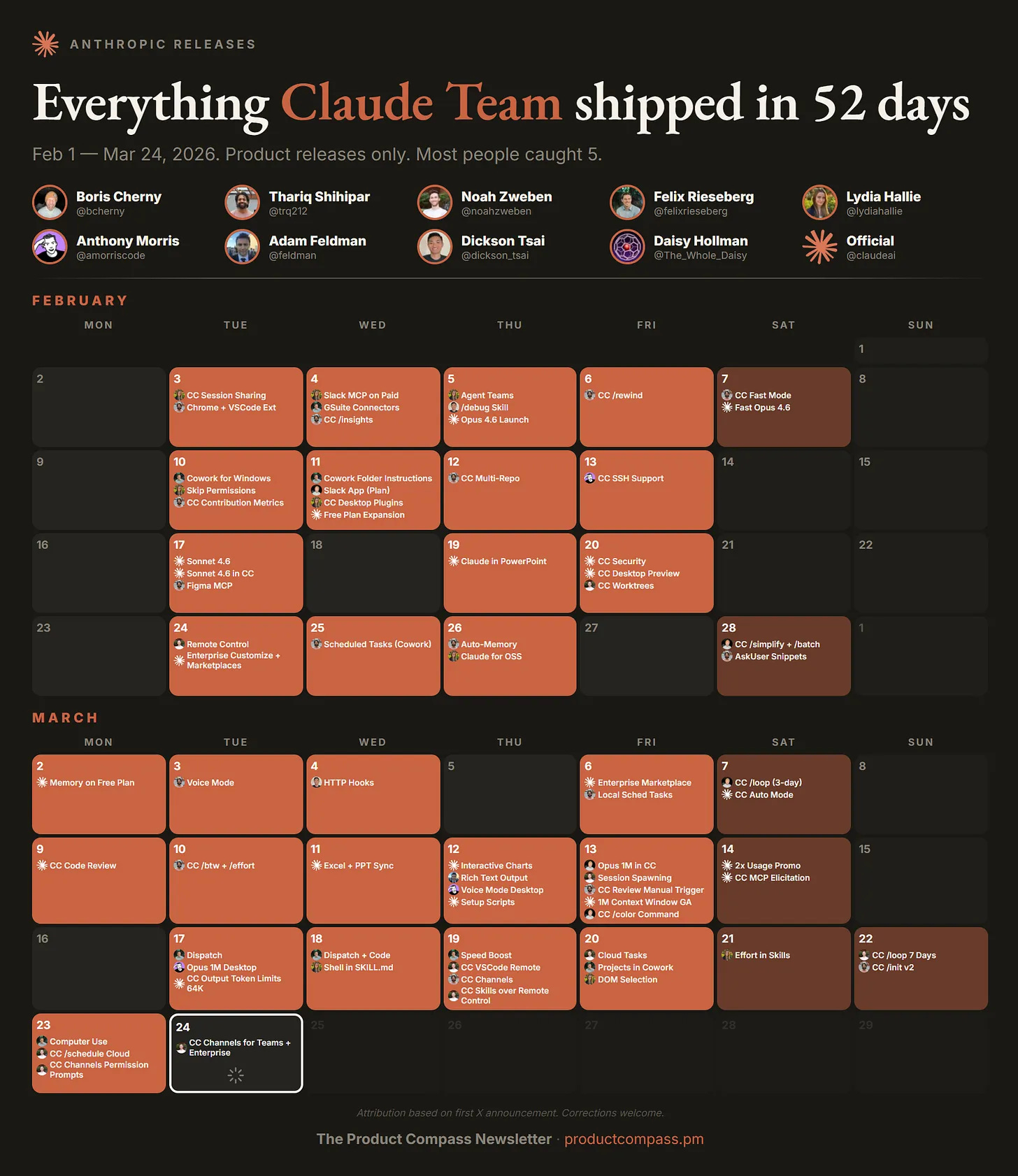
And this isn’t like missing a LinkedIn feature nobody uses. Claude impacts how you work. The people who’ve been paying attention have rebuilt entire workflows. The people who haven’t are still copy-pasting context into every new chat.
This is the guide I wish existed when I started. Everything that’s live as of March 28, 2026. How to set each thing up. When to use what. What’s actually worth your time.
Bookmark it. Come back to it. Share it with your team.
The Models
Claude Opus 4.6
The ceiling. Launched February 5 with a 1 million token context window.
78.3% on MRCR v2 at 1M tokens — highest among frontier models at that length
14.5 hour task completion window — longest of any frontier model
$5/$25 per million tokens on the API
128K max output tokens
Supports adaptive thinking with a new “max” effort level for peak capability
Use Opus 4.6 for: complex analysis across large contexts, codebase refactoring, deep research, high-stakes deliverables, anything where quality matters more than cost.
Don’t use Opus for: anything you’ll run more than a few times a day. At $5/$25 per million tokens, a heavy Opus workflow can burn $50-100 per day. Default to Sonnet. Escalate to Opus only when Sonnet’s output isn’t good enough.
Claude Sonnet 4.6
The model most people should default to. Launched February 17. 1M context window GA since March 13.
Early testers preferred it over Sonnet 4.5 roughly 70% of the time
Users chose it over the previous flagship Opus 4.5 in 59% of cases
$3/$15 per million tokens
30-50% faster than Sonnet 4.5
Default model for Free and Pro plans on claude.ai
Use Sonnet for: everyday work, quick drafts, standard coding tasks, agent workflows where you want speed without sacrificing intelligence. It matches Opus on many office tasks at roughly 40% lower cost.
Claude Haiku 4.5
The fast, cheap option for high-volume API pipelines and subagent assignments where you want a low-cost read-only worker.
One important caveat: Haiku has zero prompt injection protection. If you’re using it in agentic setups where it processes untrusted input, read the docs before deploying.
The 1M Context Window at Standard Pricing
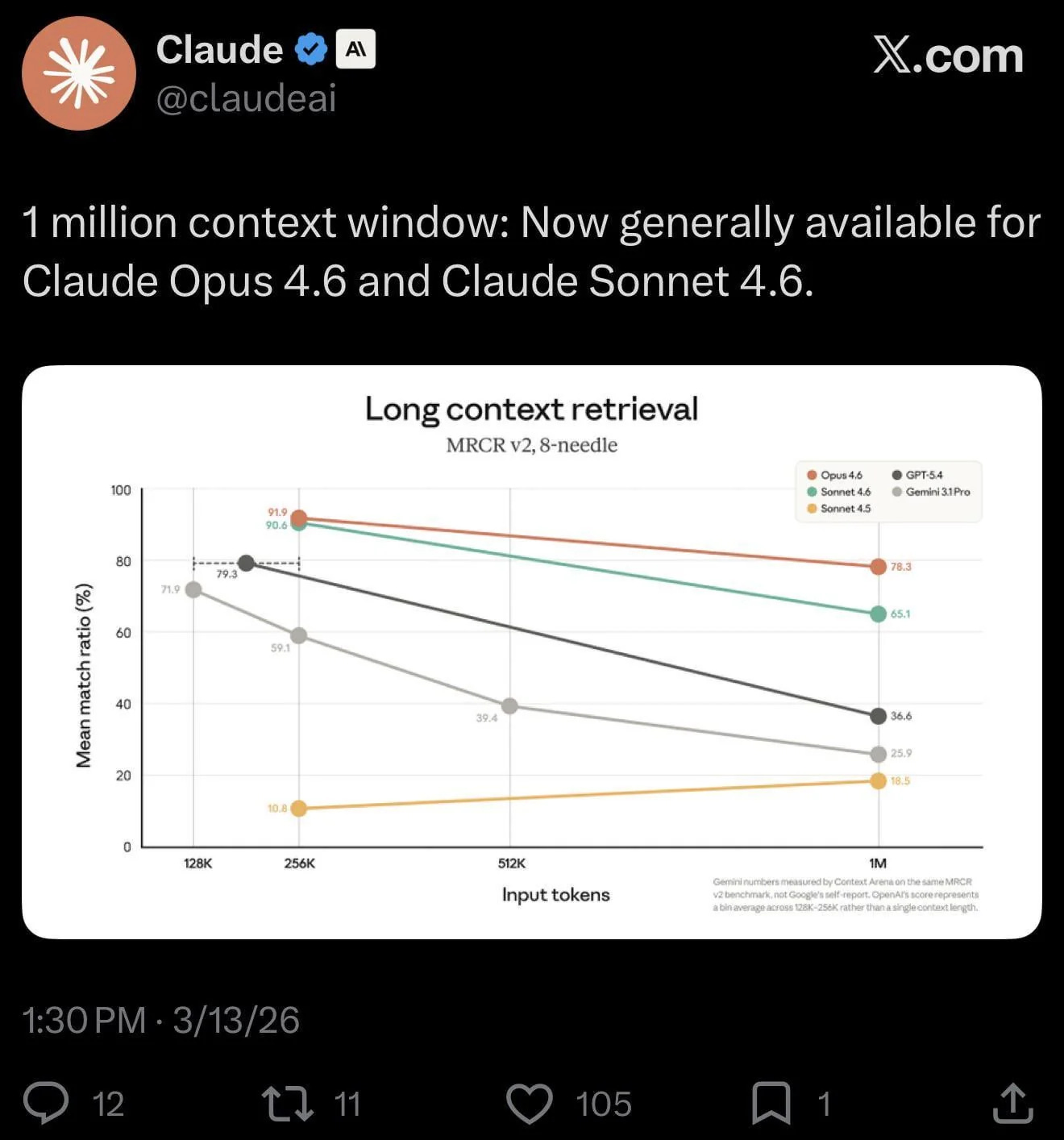
Previously, requests over 200K tokens were billed at a premium. As of March 13, that surcharge is gone completely.
A 900K token request now costs the same per-token rate as a 9K one. No multiplier, no fine print, no beta header.
That’s roughly 750,000 words of context. Entire codebases. Full legal contracts. Months of documentation. All held in working memory simultaneously.
Media limits also jumped to 600 images or PDF pages per request, up 6x from 100.
One company reported that raising their context from 200K to 500K actually reduced total token usage because the model spent less time re-reading earlier information.
Four Modes. Most People Only Know One.
Chat — the browser and mobile interface. Quick questions, brainstorming, writing drafts. Every conversation starts blank. You’re always driving.
Cowork — the desktop agent. Reads and writes to your actual files, executes multi-step tasks autonomously, delivers finished work to your folder. Use it when you want to delegate work, not have a conversation.
Code — the developer tool. Runs in your terminal, sees your codebase, writes code, executes commands, manages git.
Projects — saved workspaces where you upload files and instructions once. Every new chat in that project starts with full context. Use for recurring work where the context doesn’t change much between sessions.
Quick rule:
Chat for quick questions
Cowork for real work on your files
Code for development
Projects for recurring work with stable context
Memory and Personalization
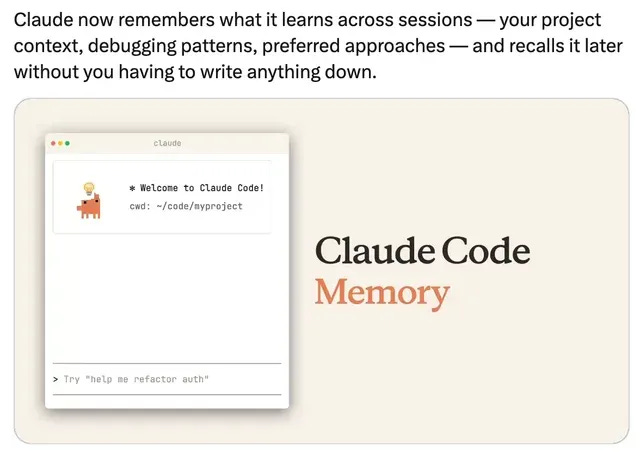
As of March 2, Claude’s memory from chat history is available to all users including the free tier. Claude remembers relevant context from your conversations and generates a memory summary that carries across sessions. View, edit, and delete memories in Settings → Capabilities.
Go to Settings → Memory right now and read what Claude already remembers about you. Edit anything wrong. Add context it should know. The more accurate your memory profile, the less you repeat yourself across sessions.
Note: Cowork sessions don’t carry memory between sessions. Context files are the workaround.
This is where the full guide begins
What’s inside:
The Cowork setup that changes everything — the exact folder structure, context files, and global instructions that separate people getting inconsistent results from people writing 10-word prompts that produce client-ready deliverables
Every Cowork feature shipped since January — Connectors, Plugins, Scheduled Tasks, Dispatch, Projects, and Computer Use. What each one does, how to set it up, and the specific prompts that unlock each one
The Claude Code extension system — CLAUDE.md hierarchy, Rules directory, Commands vs Skills vs Agents, Hooks, MCP, and when to use each
Claude Code Channels — the Telegram and Discord integration that lets you message your coding agent from your phone and come back to finished work
Agent Teams — how to spin up parallel agents that coordinate through shared task lists, when they’re worth the token cost, and when they’re not
The Claude Certified Architect certification — what Anthropic just launched, who it’s for, and why it matters for consultants and agencies
The enterprise numbers — $14B ARR, $380B valuation, 500+ customers spending $1M+ annually
The practical playbook — what to build this week if you’re a founder, developer, or team lead
This is the reference document. Everything you need to actually rebuild how you work.
Cancel anytime. First subscribers get 50% off forever.