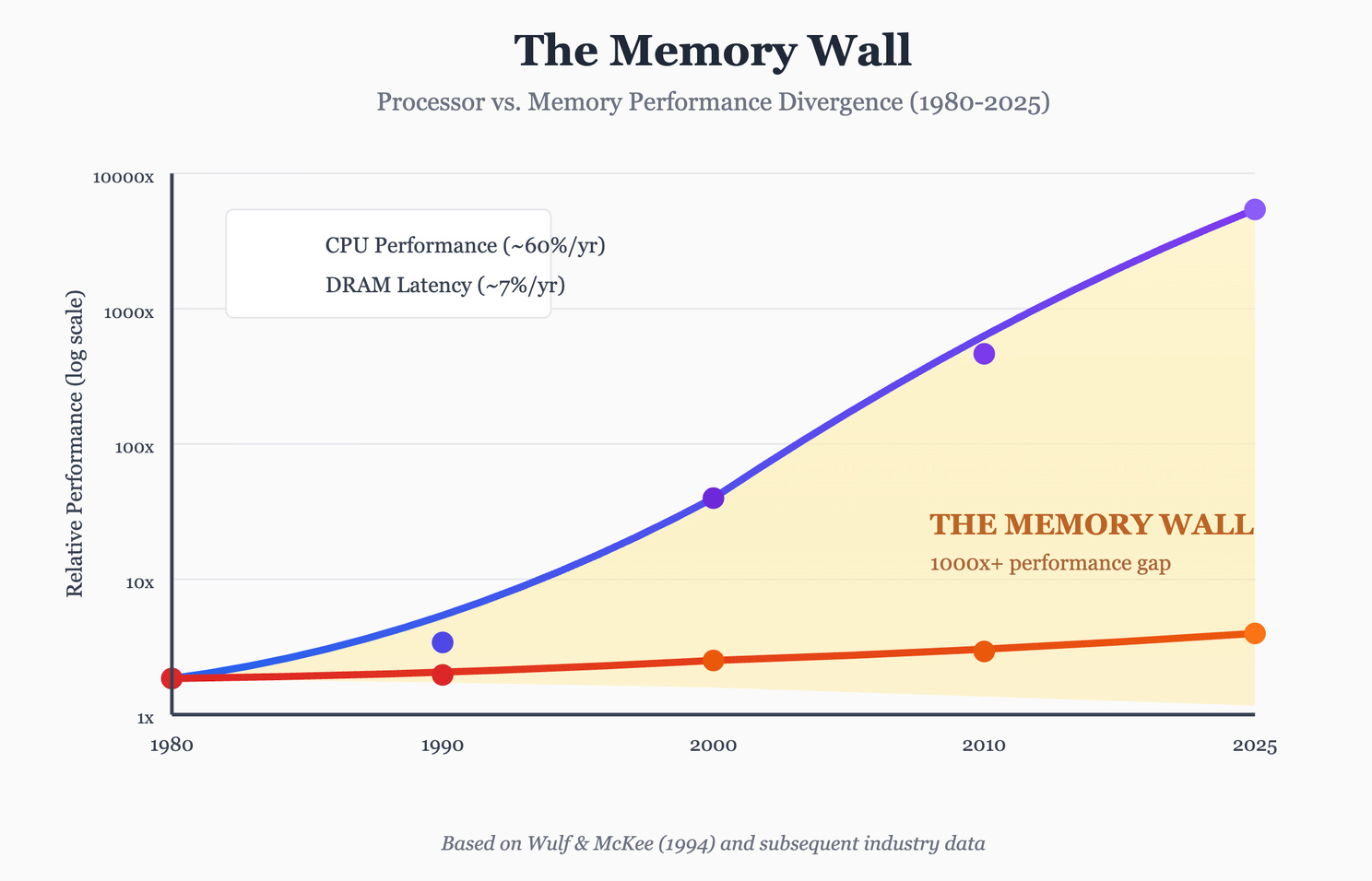
Someone just ran a 2.78-trillion-parameter model on a laptop. The memory wall is breaking
A frontier model that needs 1.42 TB now runs on a MacBook with 64 GB of RAM. The full playbook on local AI: what runs today, the cloud-vs-own math, and the workloads to pull off the cloud now
On July 30, an open-source project did something the textbooks said was impossible.
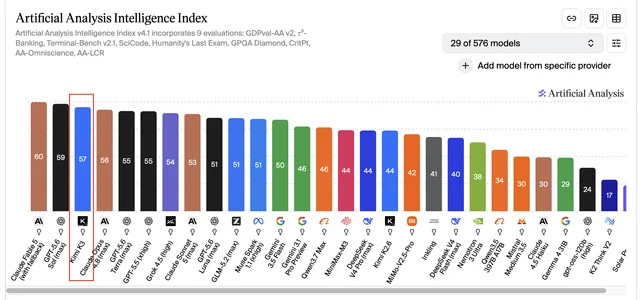
It ran Kimi K3, the 2.78-trillion-parameter model that beats Claude Opus 4.8 on measured intelligence, on a single MacBook Pro with 64 GB of RAM. The full model. Zero pruning, zero distillation. A checkpoint that occupies 1.42 TB, executing on a machine with less memory than the model needs by a factor of more than twenty.
It runs at 0.3 tokens per second, so nobody is doing serious work with K3 on a laptop tomorrow. That is the honest headline. But the thing it proves is the story: available memory no longer sets a hard ceiling on the size of model you can run on hardware you own. The wall between you and frontier intelligence, the one that forced everyone onto someone else’s cloud, just developed a crack.
And here is what almost nobody covering the laptop-K3 demo will tell you: the boring version of this is already usable today. On the same Apple Silicon, capable mixture-of-experts models run at 30 to 130 tokens per second right now, fast enough for capable agents, live coding, and private workflows, on machines you already have.
Which raises the question every builder and every cost-conscious founder should be asking this week.
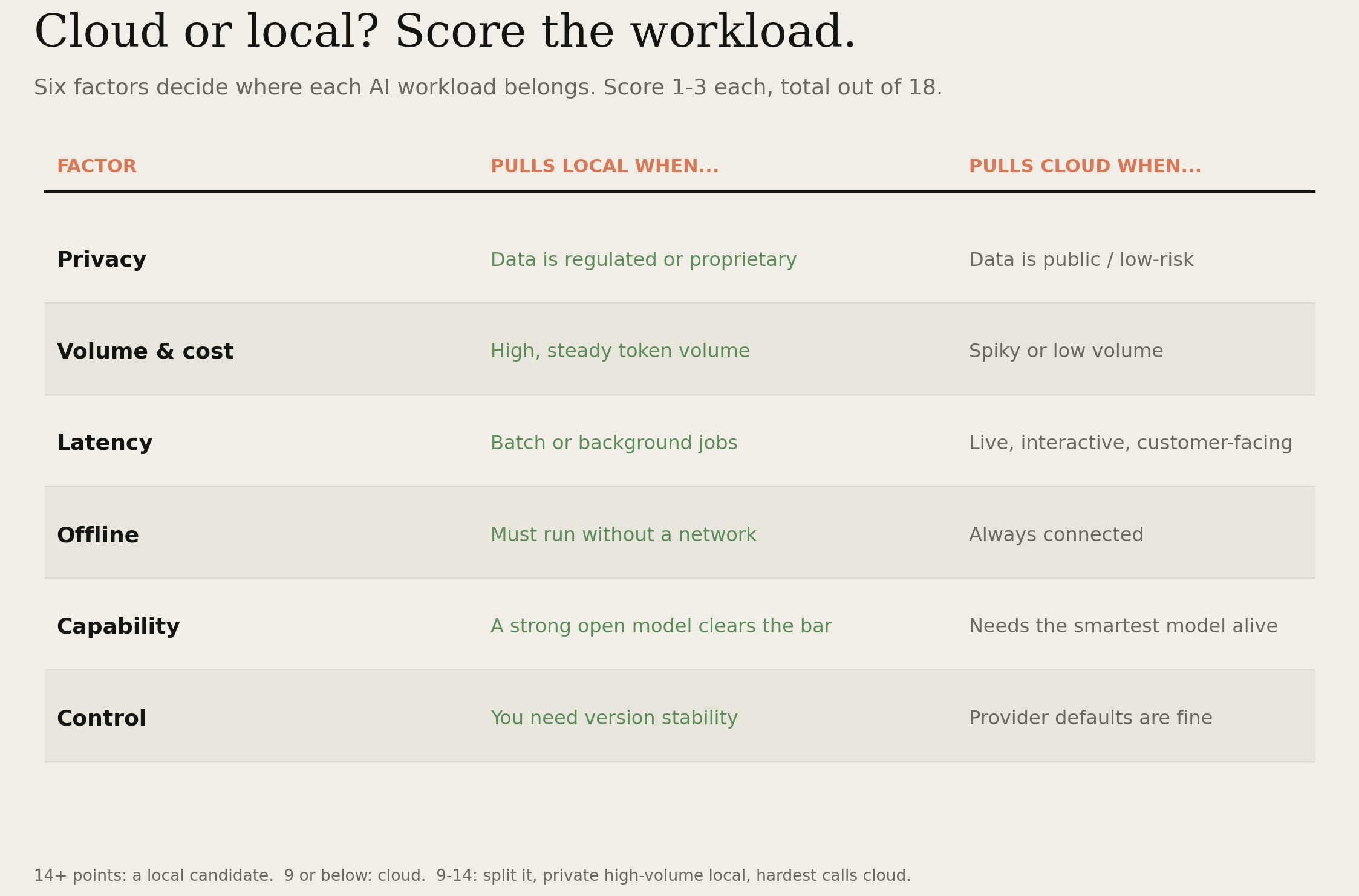
What should you actually run on your own hardware, and what should stay in the cloud?
Behind the paywall, the complete Local AI Playbook:
▫️ The cloud-vs-local decision matrix, the six factors that decide where each workload belongs, scored, with the routing rule
▫️ The runnable-models tier list, what actually works locally today, at what speed, on what hardware, from proof-of-concept to production-ready
▫️ The hardware buyer’s guide, exactly which machine for which workload, and the specs that actually move tokens per second
▫️ The TCO calculator, owned hardware versus token bills, the breakeven math, and the consolidation multiplier most people miss
▫️ The privacy audit, which of your workflows should never leave your machine, and the sales line it hands a founder
▫️ The stack setup, Ollama, MLX, and WASTE, which to use when, with the commands and the quantization cheat sheet
▫️ The measurement rule, the one engineering discipline that saves you weeks, lifted from WASTE’s own build log
▫️ The migration sequence, how to move your first workload local this week without breaking anything
▫️ The get-ready plan and the re-evaluate triggers, so you are positioned the moment this gets fast, and know exactly when to revisit
One subscription unlocks every system
This is one build in a growing library. Premium opens all of them: